Known AI bots
GPTBot, ClaudeBot, PerplexityBot and other AI crawlers, identified by user agent.
Platform
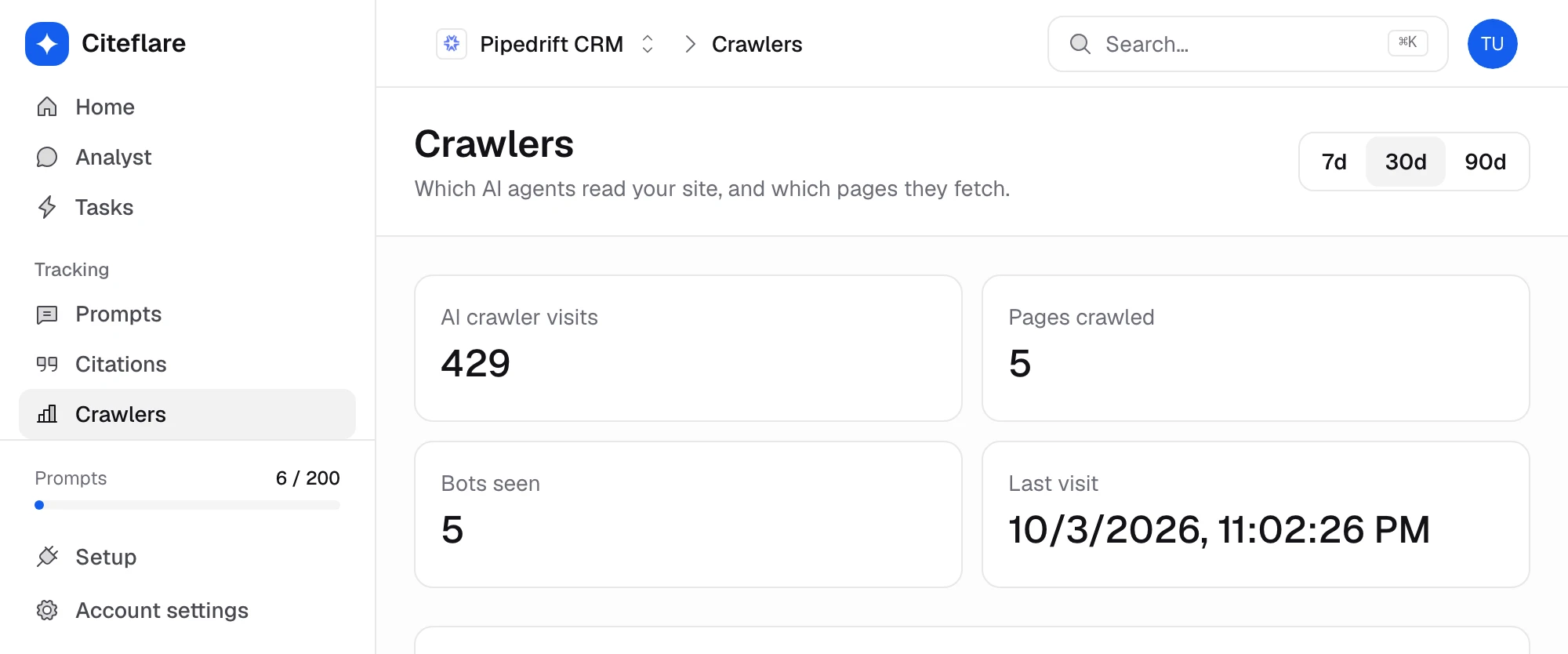
Server logs show what AI crawlers fetch. Send a copy of each request to Citeflare and see which bots visit, which pages they read and what status they get back.
How it works
01
Each project gets a private crawler token for the ingest endpoint.
02
Paste a Cloudflare Worker, Next.js middleware or call the API from your own server. It forwards request details without changing the response.
03
User agents are matched against known AI crawlers such as GPTBot, ClaudeBot and PerplexityBot.
04
Filter by bot, path and status, and see which pages are read and which return errors.
Capabilities
GPTBot, ClaudeBot, PerplexityBot and other AI crawlers, identified by user agent.
Copy-paste snippet that reports requests and passes them through untouched.
A small middleware for sites hosted on Vercel or anywhere Next.js runs.
POST request details from any server, CDN or log pipeline with your token.
See which pages crawlers read successfully and which return 404 or 5xx.
Spot when a bot started visiting, or stopped.
In depth
Visit log
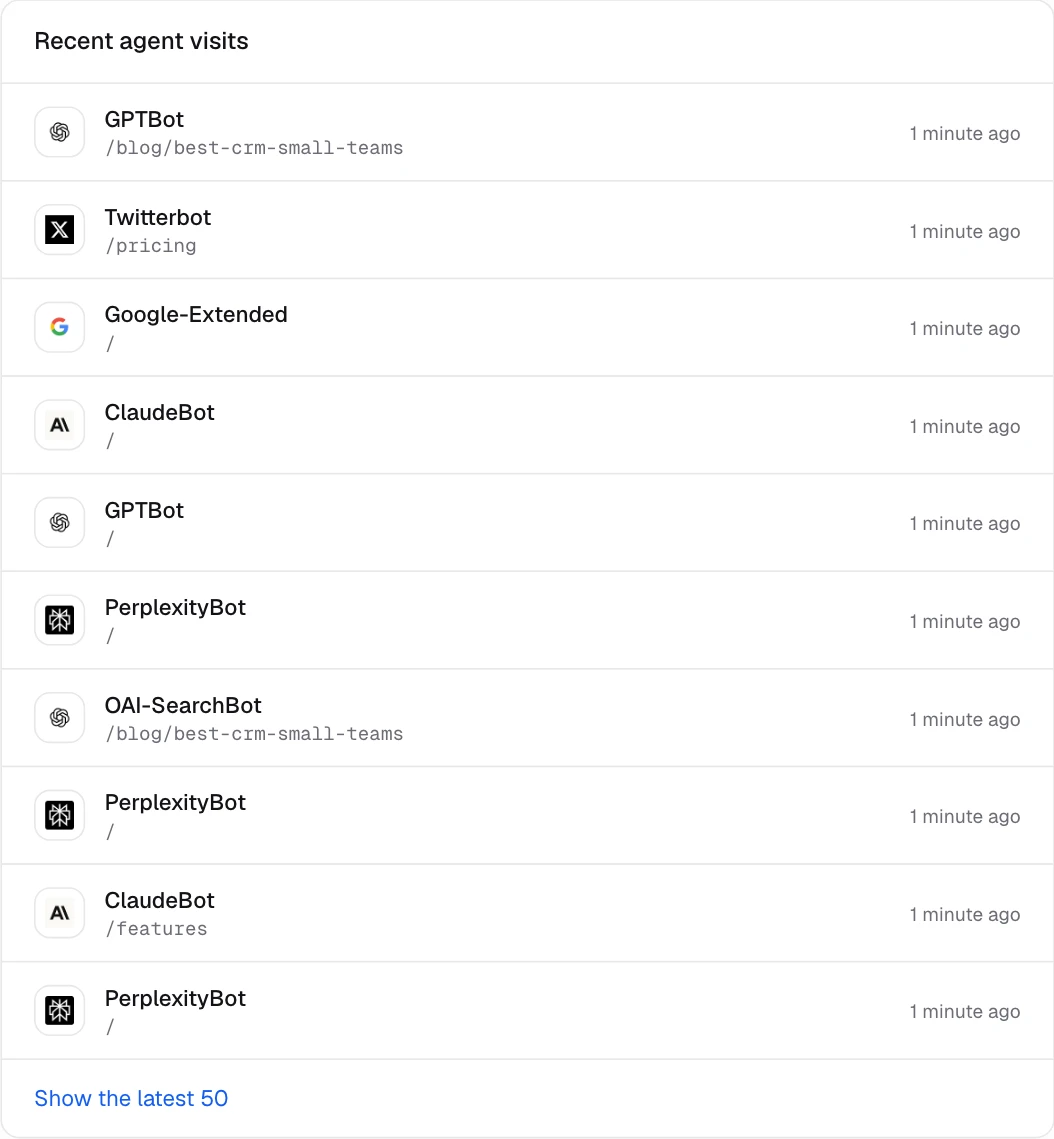
The log lists each AI crawler visit with its path and response status. Filter to a bot to see what it reads, or to a path to see who read it.
Coverage
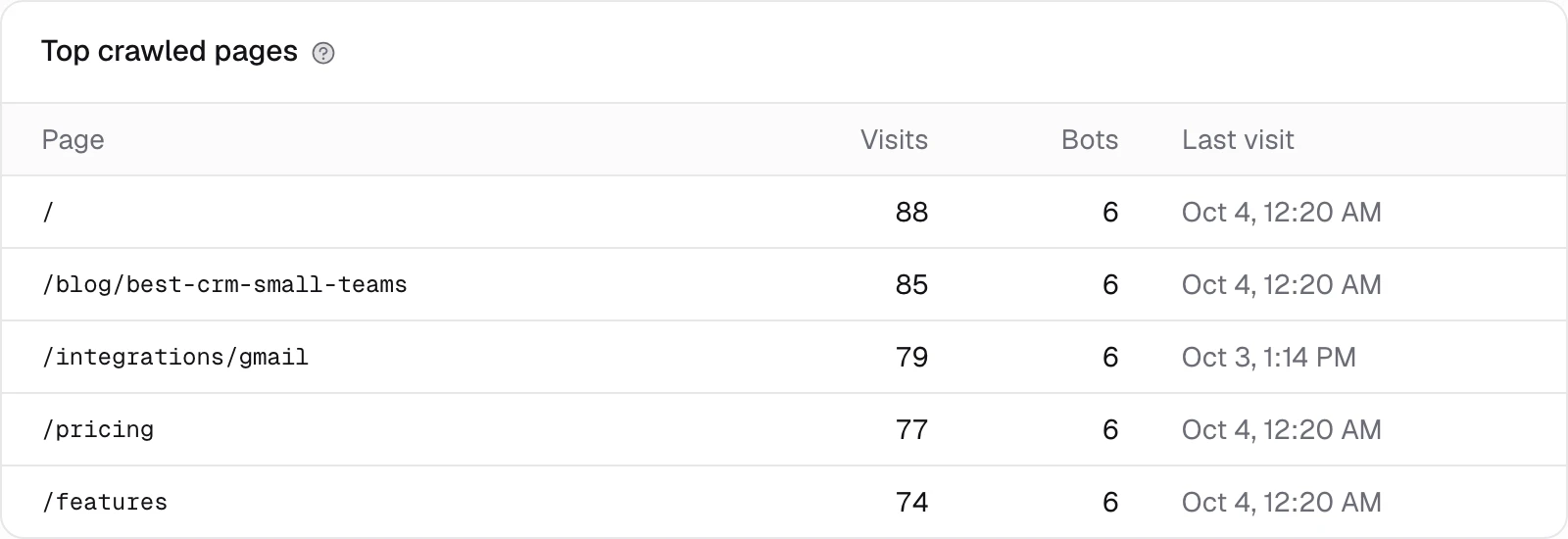
If a bot never reaches the pages you want cited, there is nothing to cite. Compare crawled paths against your important pages and find the ones that are blocked or skipped.
Setup
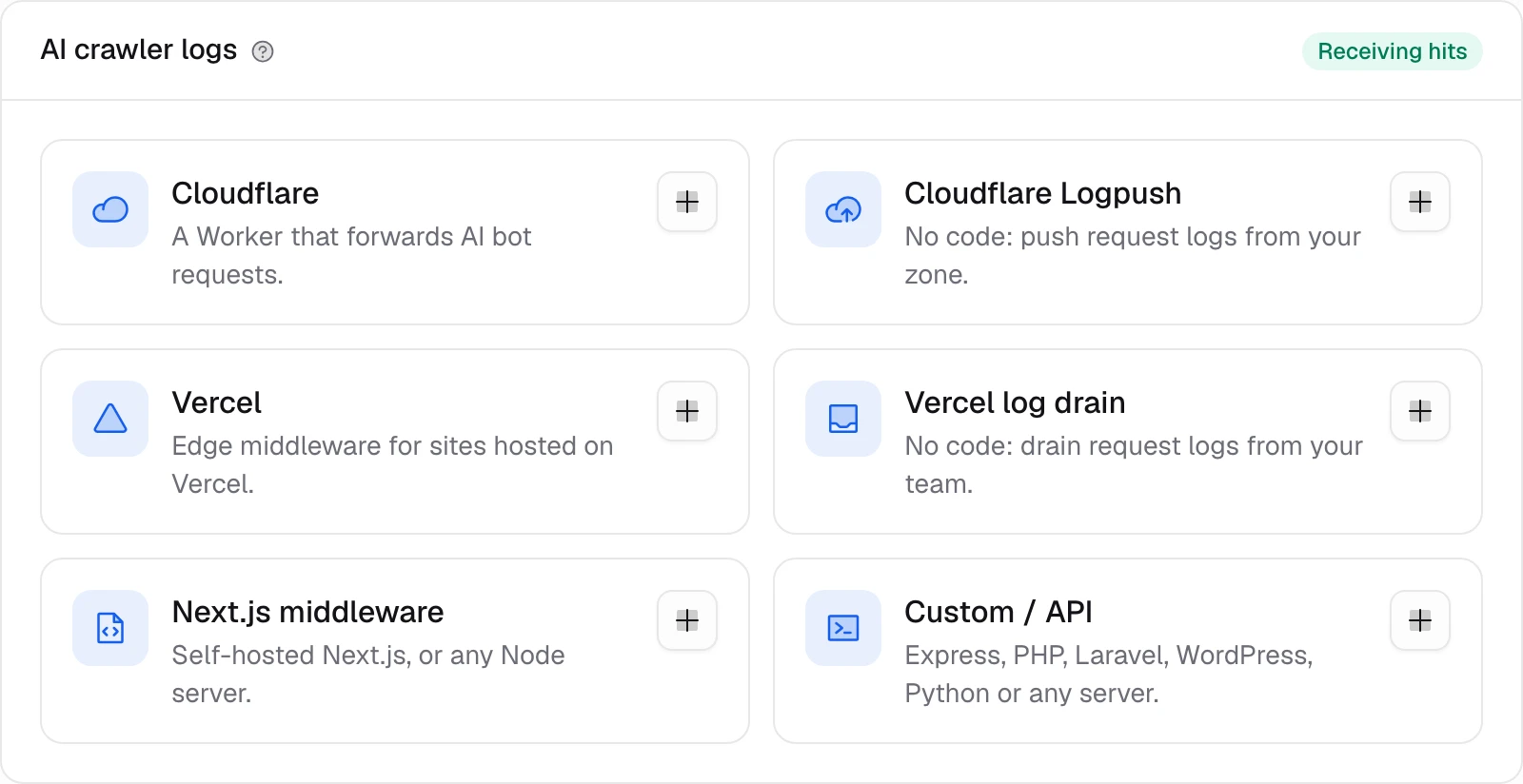
The Worker snippet runs at the edge, forwards a small record of each request, and returns the original response. Nothing is added to the page.
Metrics
Related
Track the prompts your buyers ask AI. Citeflare scans ChatGPT, Claude, Gemini, Perplexity and Google AI Overviews every day and records mentions, position and sentiment.
See which domains and pages AI engines cite, split into owned, competitor, editorial and user-generated sources, including Reddit and YouTube.
Turn a gap into a brief, an article and a published page. Citeflare’s content agents write, schedule and publish to WordPress or a webhook, and refresh existing pages with a diff.
Faq
It is included on Growth and Agency. Starter does not include it.
The Worker reports in the background and returns the original response as normal. Test it on a staging route first if you want to be sure.
Known AI crawlers such as GPTBot, ClaudeBot and PerplexityBot, matched by user agent. Anything unrecognised is not shown as an AI bot.
Yes, user agents can be spoofed. Treat the log as a strong signal, not proof.
Bot name, user agent, path, status code, IP and time for each request. No page content and no visitor data beyond that.
Monthly or annual plans. Cancel any time.