Daily scans
Every active prompt runs on your daily engines once a day, at the time you added it, and on Claude once a week.
Platform
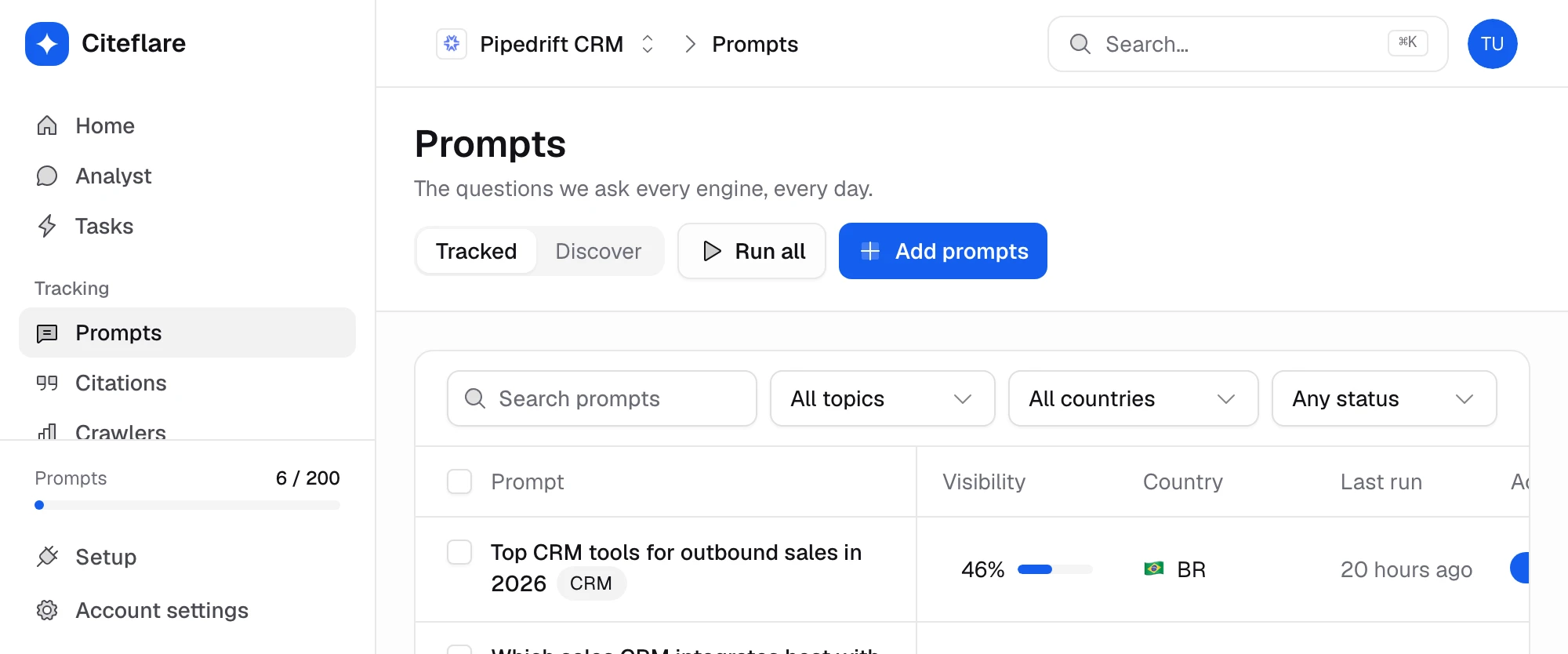
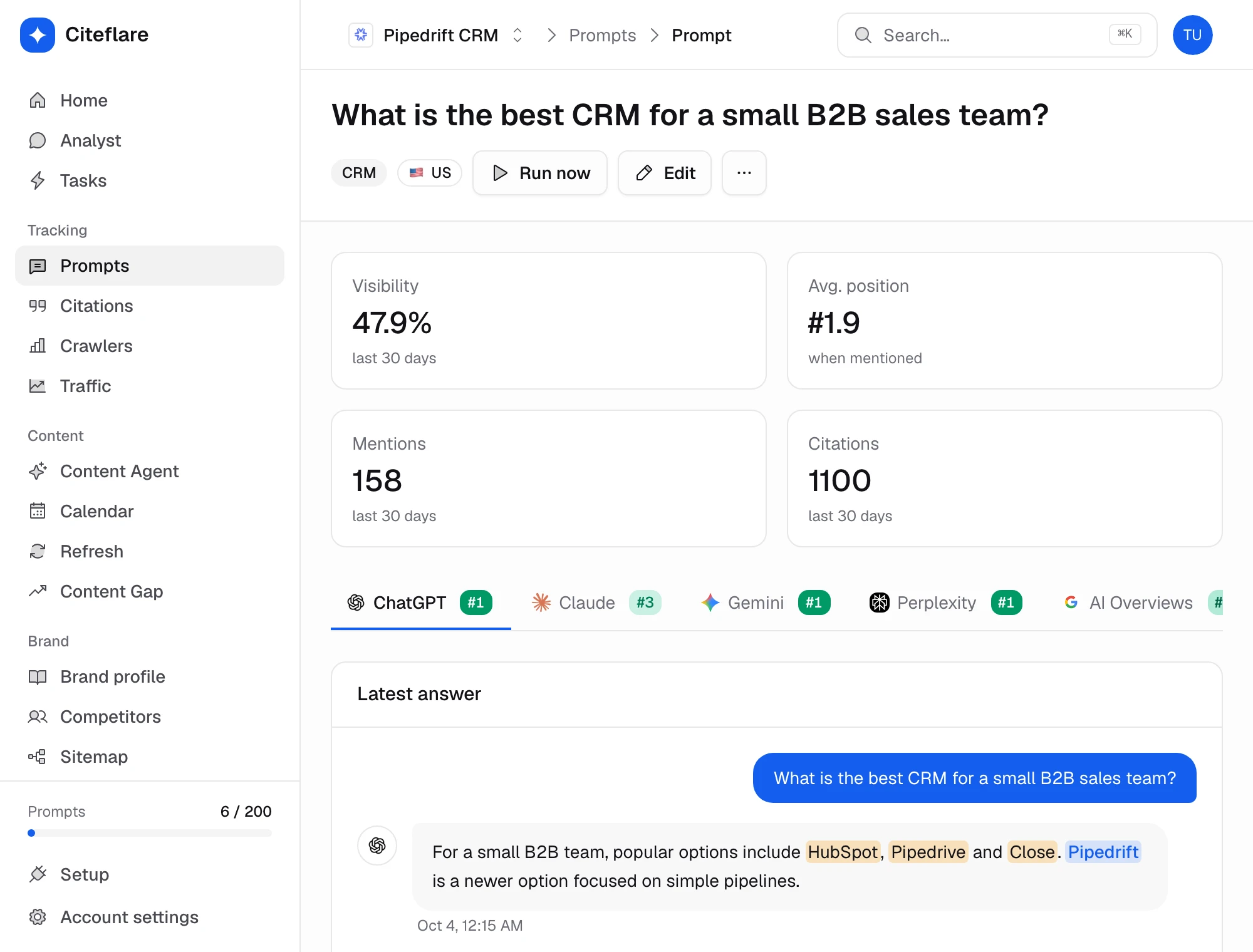
Add the prompts that matter to your market. Citeflare asks every engine each day and records whether your brand was named, where in the answer, and how it was described.
How it works
01
Enter your brand name, aliases and domain, then add the questions buyers ask. Citeflare can also suggest prompts from your site and market.
02
Choose the engines your plan includes. Each prompt runs on every selected engine, so you compare like with like.
03
Each prompt is sent to the five core engines daily and to Claude weekly. The full answer and its sources are stored, so you can always read what was said.
04
See visibility, position and sentiment per prompt and per engine, and how they move over time.
Capabilities
Every active prompt runs on your daily engines once a day, at the time you added it, and on Claude once a week.
ChatGPT, Google AI Overviews, Google AI Mode, Gemini, Perplexity and Claude side by side; Grok, DeepSeek, Mistral and Llama on Enterprise.
Where your brand appears in the answer: named first, third, or buried in a list.
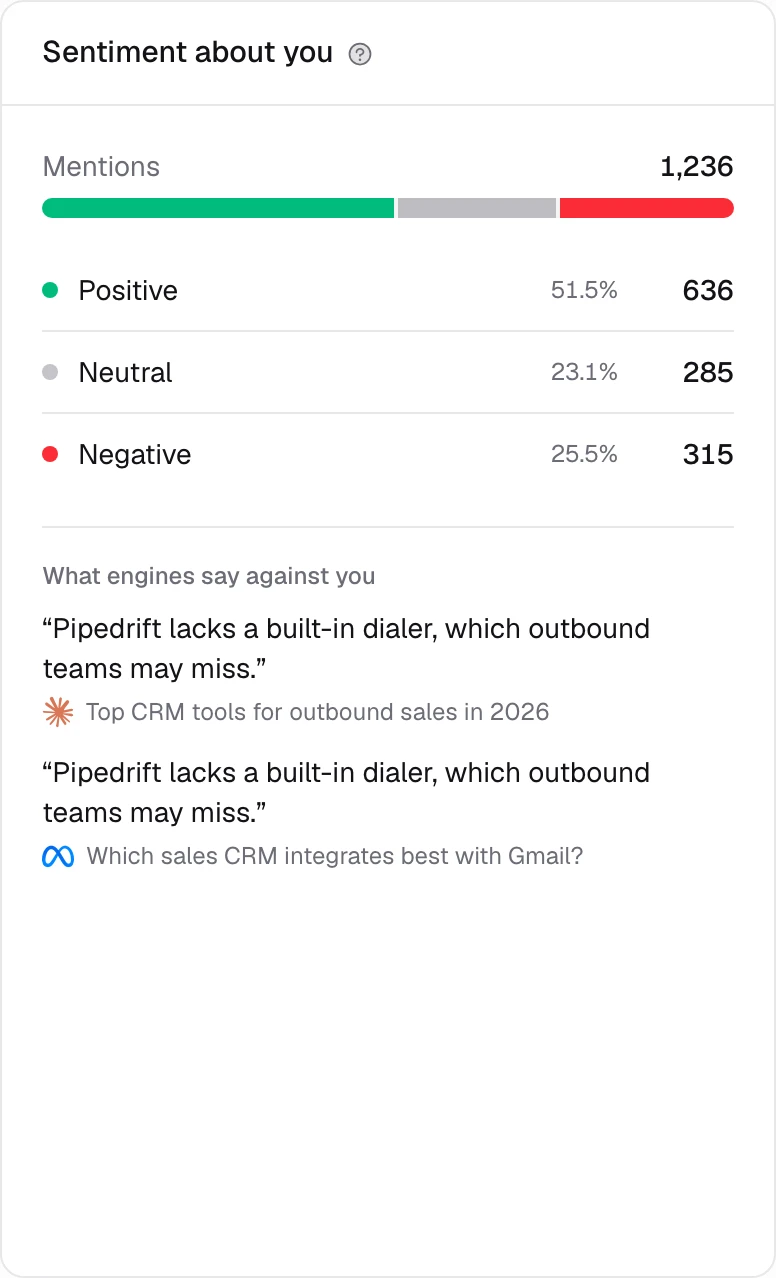
Each mention is classified as positive, neutral or negative, with the snippet that shows why.
Add alternative names and spellings so “Acme”, “Acme Inc” and “acme.com” count as one brand.
Open any scan to read the exact answer and the sources the engine used.
In depth
Engine × prompt
Answers differ by engine, so averages hide the story. The prompt table shows each engine in its own column and lets you spot where you are named and where you are missing.
Trend
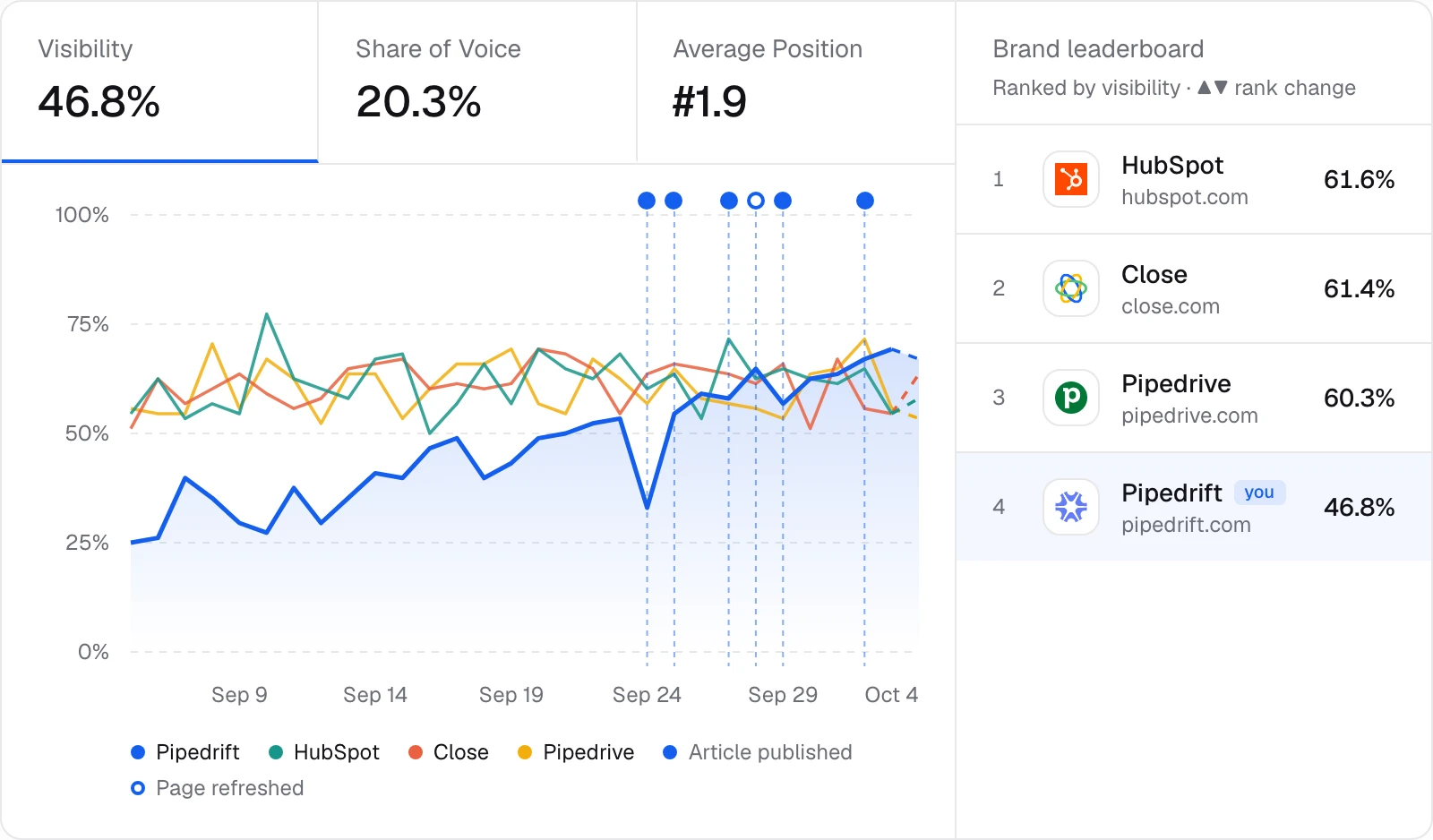
Visibility is plotted over time, so a content push or a site change can be judged against a baseline instead of a hunch. The final day is dashed because it is still filling in.
Sentiment
Being named is half the picture. Each mention carries a sentiment label and the sentence it came from, so you can catch an engine repeating an outdated or negative description.
Metrics
Related
See which domains and pages AI engines cite, split into owned, competitor, editorial and user-generated sources, including Reddit and YouTube.
Measure how often AI engines name you versus competitors. Share of voice, a heatmap by engine and competitor suggestions pulled from real answers.
Ask Citeflare’s agent about your visibility, citations and competitors in plain English. Run skills like a weekly recap and get answers grounded in your own scan data.
Faq
ChatGPT, Google AI Overviews, Google AI Mode, Gemini and Perplexity daily, and Claude weekly. Starter covers three of the five daily engines; Growth and Agency cover all five. Grok, DeepSeek, Mistral and Llama are on Enterprise.
Once a day for every active prompt. Pause a prompt and it stops running.
No. Citeflare sends your prompt to each engine and records the answer, the way a person would ask it. Results can vary between runs, which is why daily trends are more useful than a single answer.
Each project has its own country and language, so create a project per market. Agency allows up to 10 projects.
The scan is recorded as not mentioned, and the full answer and its sources are kept so you can see who was named instead.
Monthly or annual plans. Cancel any time.